Changelog
24 September 2026
Clearer updates and steadier overlays
News now stays in newest-first order, so the latest player benefits are easy to find even when an editor marks a story for attention. In-game overlays also clean up when Warcraft closes, avoiding stale windows between matches.
- Mana for more units. App developers can now show caster mana alongside hero mana.
- Reliable local testing. Developers can apply local app URLs and extend a test session directly from the desktop developer panel.
Developers: SDK 4 data and mana guide · SDK 4.7 upgrade guide · local sessions and troubleshooting.
21 September 2026
Your apps, one shortcut away
Toggle an app setting without leaving your game. Choose a shortcut beside any eligible boolean setting, restore an app's suggested default, and resolve conflicts in one place. Your dashboard and overlays receive the same saved setting.
- More ways to understand a match. App developers can now use richer economy, item, hero and ability statistics, build economy graphs, and compare observed losses over a selected time window.
- Clearer match events. Apps can distinguish training, research and hero revival and read explicit participant outcomes when available.
- A better place to build. The developer site now has task-based guides, checked examples, a complete model reference and practical upgrade instructions.
Detailed self-play statistics cover your own player. Replays and observer games can provide all participants' authorized data. Loss history is sampled and apps should show when it is incomplete.
Restart W3Booster to load the desktop and recorder update.
Developers: SDK 4.6 release guide · Analytics examples · Compatibility and upgrades.
18 September 2026
Faster overlays, clearer matches
Overlay updates are more responsive while you play. Health, mana and active progress move smoothly, and the game clock no longer briefly ticks backward during normal play.
- Item charges at a glance. Filled dots show remaining charges; empty dots show normal starting capacity. The last charge stays visible, with a number for extra charges, in Classic and Reforged artwork.
- Menus stay clear. Match Vision hides in-game and in OBS while a menu or dialog is open, then returns when you close it.
- More reliable replays. Switching between your own games, replays and observer games keeps the right overlay view.
- Departed players stay in view. Surviving heroes and units remain visible in observer games and replays when a player leaves. Their live values keep updating, and genuinely removed units still disappear.
- Human power-building tracks the extra hands. Construction progress adjusts as assisting peasants join or leave.
- Space for shared control. The overlay adapts to additional allied hero portraits, including gaps, so Warcraft’s own hero bar stays clear.
Restart W3Booster to load the complete update.
Developers: SDK 4.5 adds optional menu context; SDK 4.4 covers smooth live values and interactive overlay regions. Protocol 4.0 is unchanged.
11 September 2026
Steadier heroes, cleaner overlays
- Hero panels stay in the right order. Match Vision follows Warcraft’s hero order and excludes illusion copies from hero panels and production views.
- Research takes less space. In 1v1 player and observer views, upgrades appear six per row with tight spacing. Weapon and armor upgrades come first.
- Overlays clear faster after a game. Shorter game-end confirmation removes the delay, with immediate disappearance and no fade.
- Silent connection recovery. The compositor reconnects without putting error banners on your stream.
SDK 3.1.0: new isIllusion and heroOrder fields, optional illusion inclusion, and deterministic entity selectors. Existing SDK 3.0 apps do not need to upgrade. Read the developer guide →
Production queues, MMR & Battle.net stats
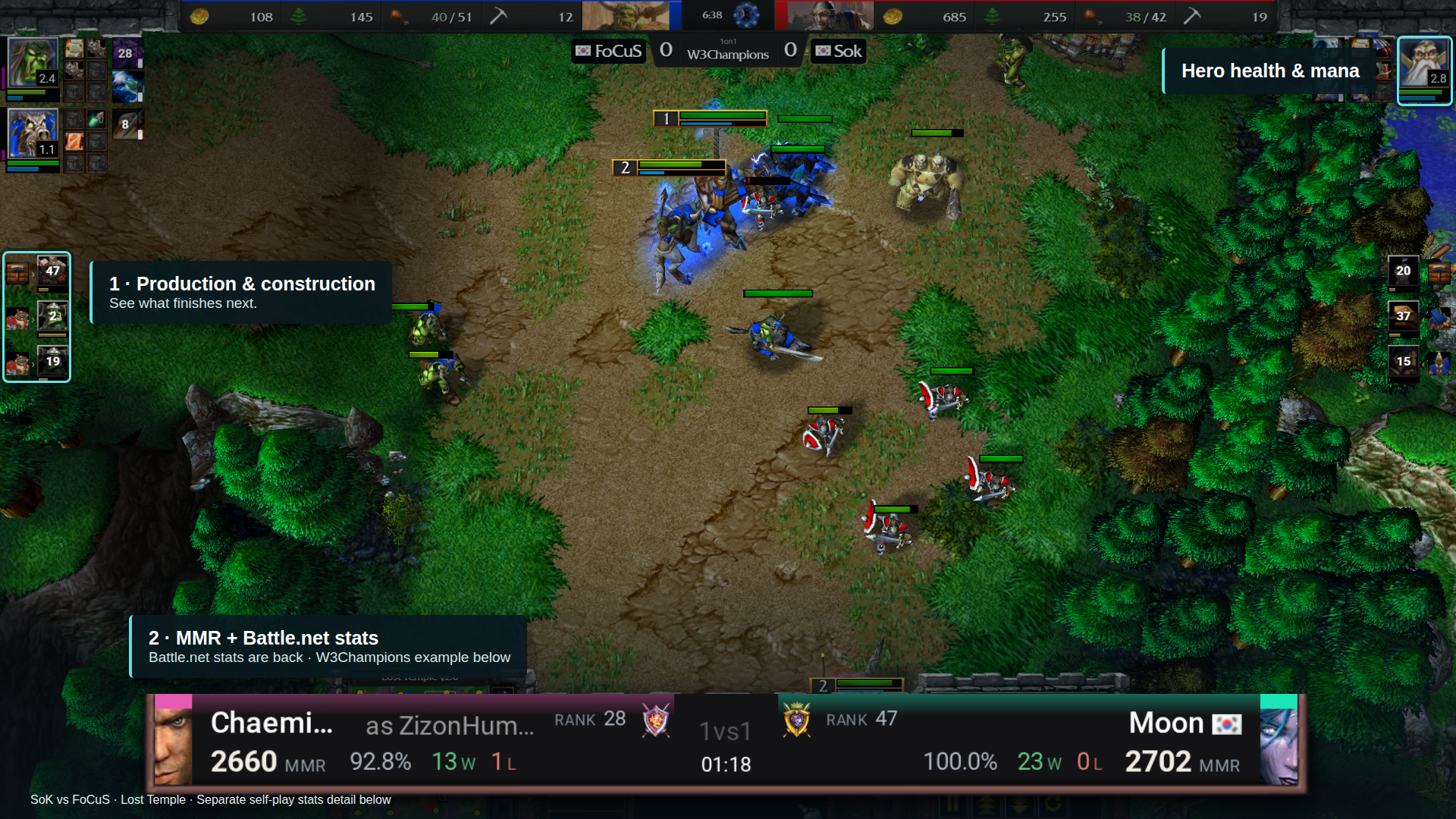
- Production queues are here. See what each building is training, what is queued next, and how many seconds remain. Follow new buildings as they go up, too.
- MMR at a glance. A fresh stats layout makes each player’s MMR and wins/losses easier to compare.
- Battle.net stats are back. See your opponent’s rating, record, and league alongside W3Champions support.
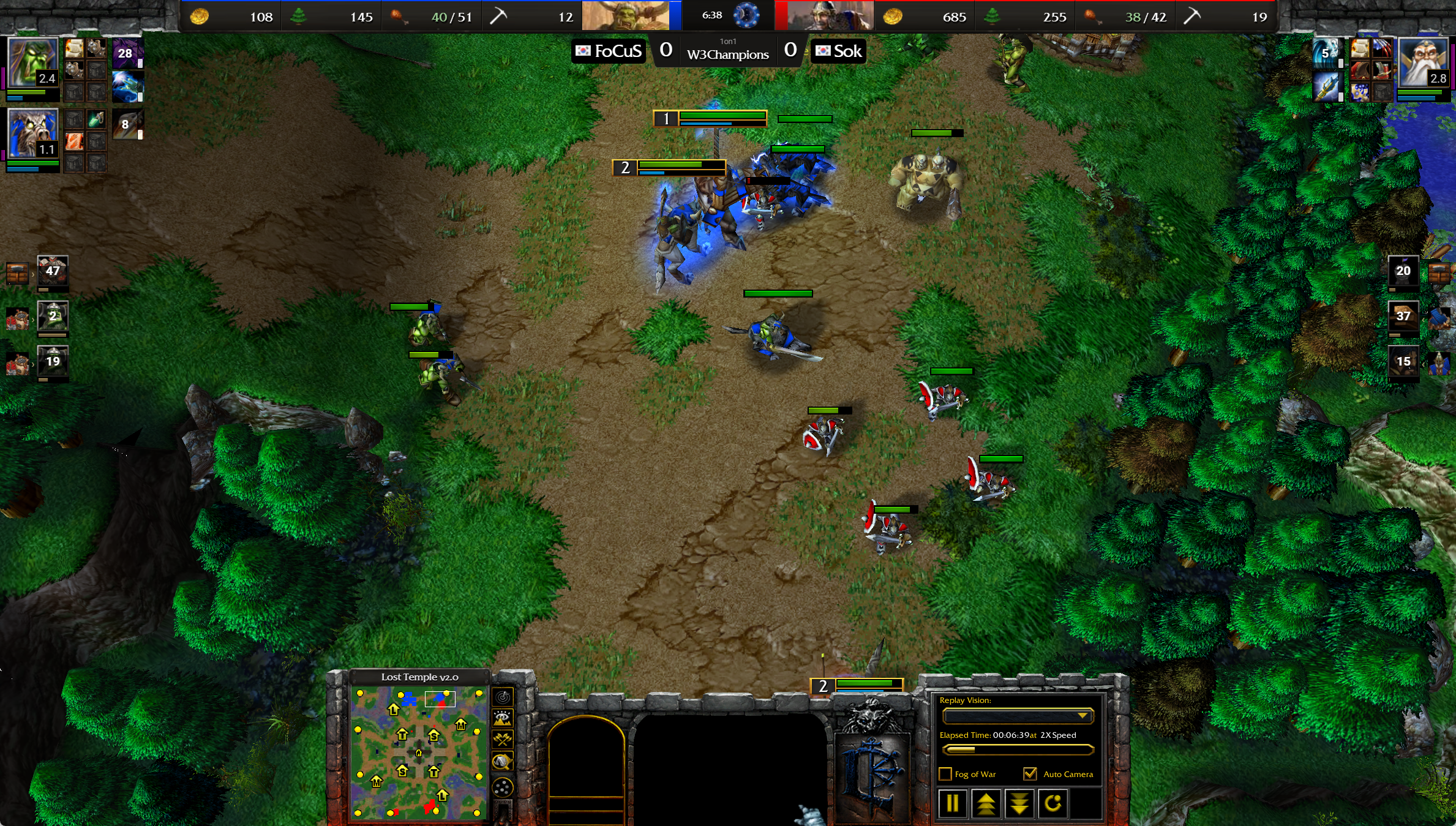
- Hero health and mana bars return. Follow your heroes’ condition alongside their experience and abilities.
Know what is on the way
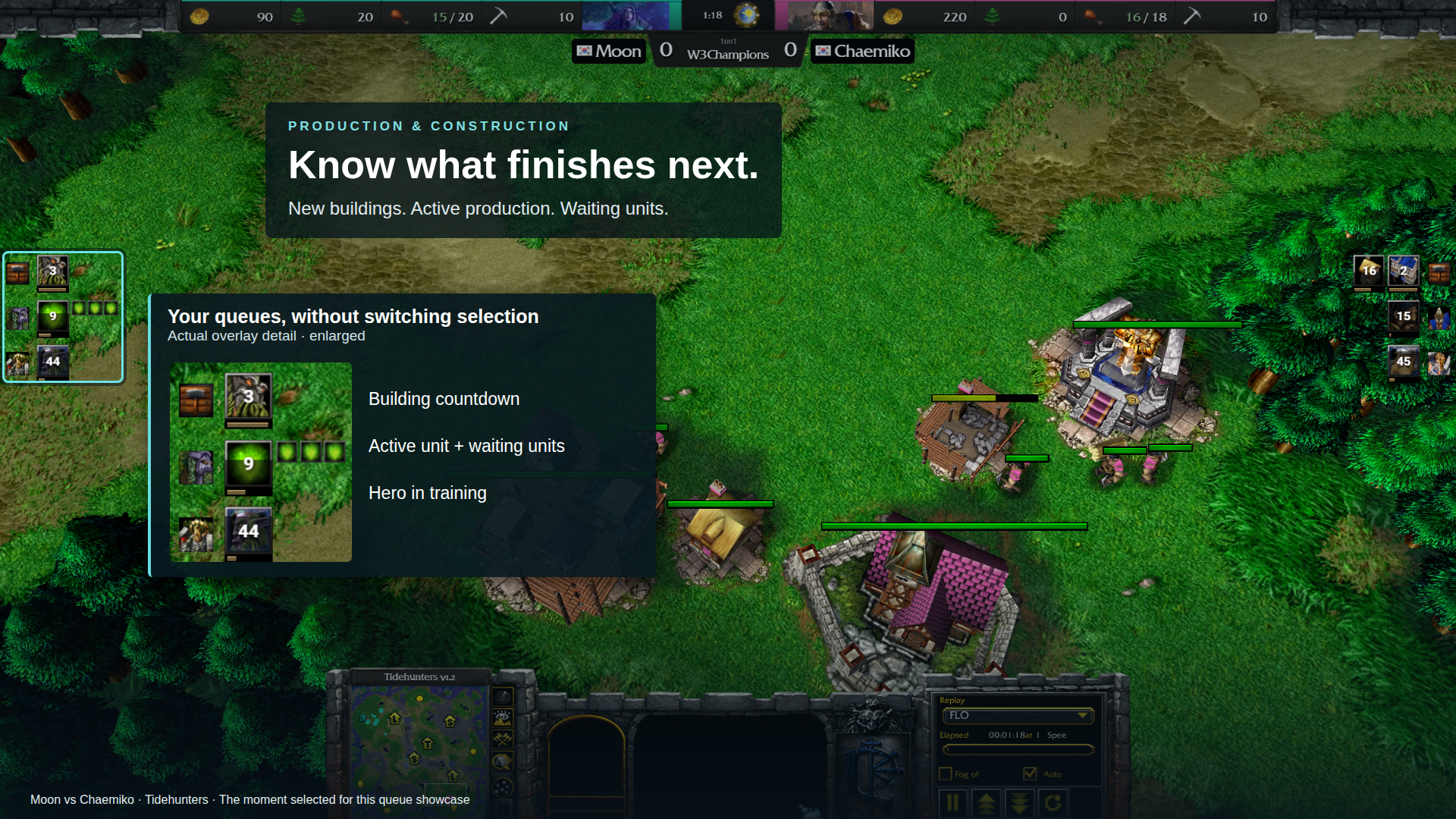
Every producing building gets its own compact row. The active unit takes the spotlight, with waiting units beside it and a countdown underneath. New buildings appear above the training rows, so you can follow an expansion or a new production building as it takes shape.
Smooth progress bars and compact icons keep the action in view. Turn construction and unit queues on or off separately. Both are free in replays and observer mode, and PRO while playing.
Your opponent’s stats, clearly
Know who you are up against while you play. Compare MMR, rank, and wins/losses right in your match.
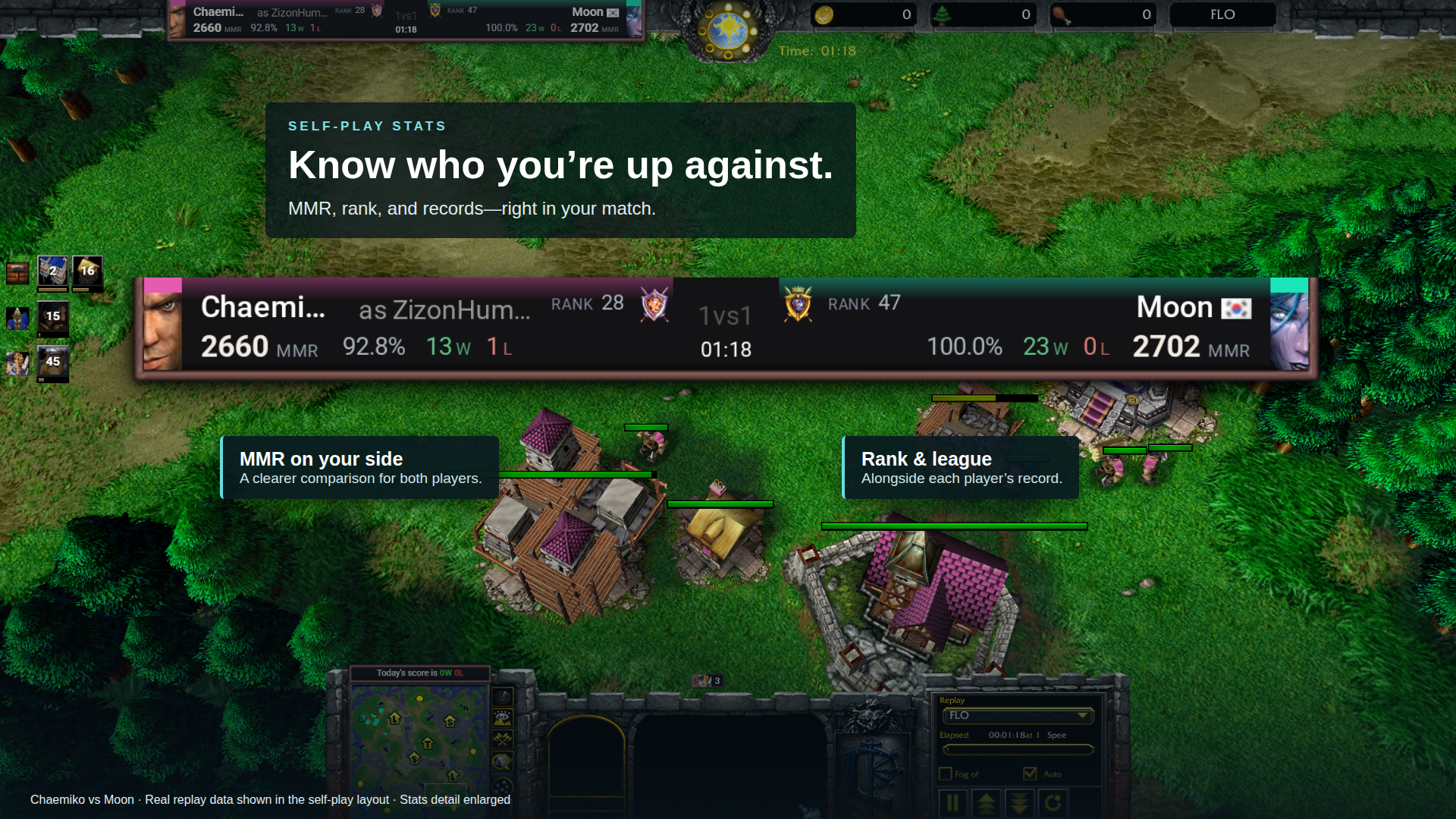
The redesigned dashboard gives each player two clear rows, while the compact view mirrors the layout so the numbers stay with their player.
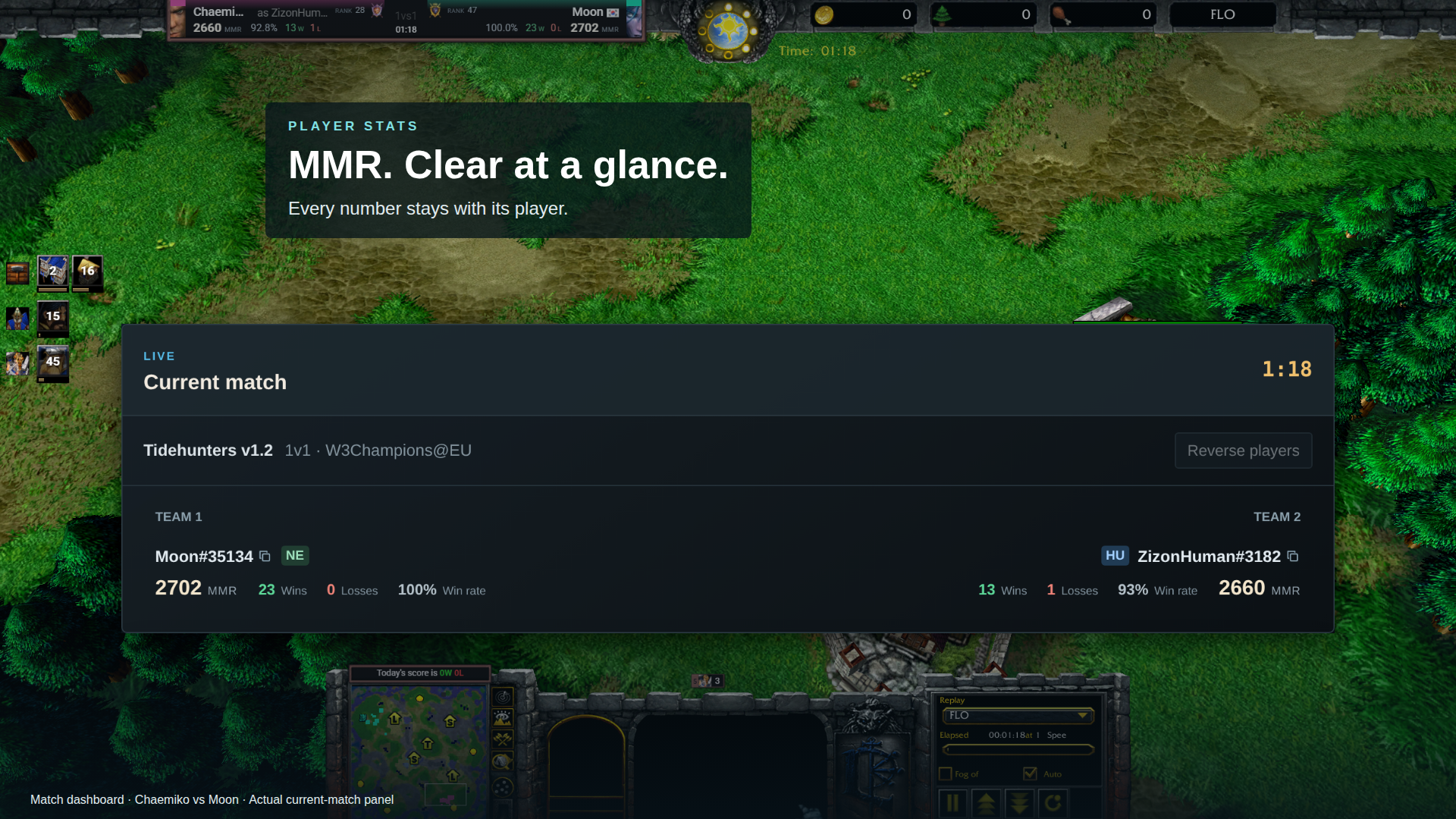
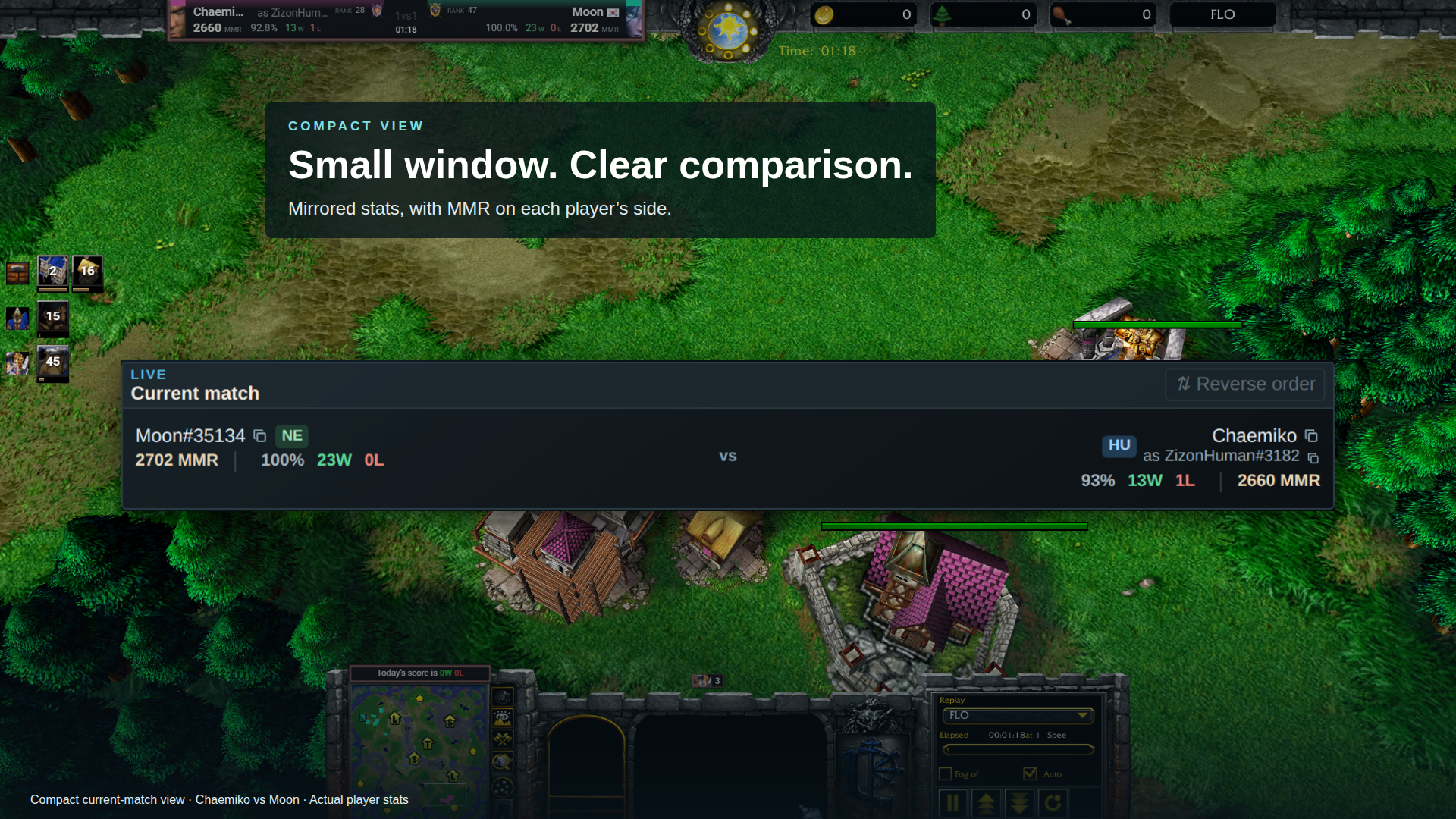
Battle.net player stats work again, including league badges where available. Loading indicators show when stats are on their way, and players without a rank are labelled UNRANKED.
Keep an eye on your heroes
Health and mana bars return alongside hero experience. Familiar health colors make a hero in danger easier to spot, and stronger cooldown shading makes abilities easier to follow.
Small fixes that matter
- Fixed automatic winner detection.
- Hero inventory and level remain visible when you turn off experience and abilities.
- Abilities stay in the right place when inventory is hidden.
- Research defaults to All research; your saved choices are preserved.
Build with SDK 3
Bring production queues, hero vitals, and player MMR into your own app. Read the migration guide and example →