Working examples
Choose a real workflow, not a checklist of SDK features. Every project below has public source and uses the published SDK. An “app” can be overlay-only; a browser demo does not require a registered application window.
For the smallest first step, use the minimal TypeScript starter and first-app tutorial. It starts unregistered with offline demo data.
One example, one repository
Clone the example you want, run npm ci and npm run dev, then open http://localhost:5173/. No account or Warcraft III is needed for demo mode. Each repository has one app, a README, lockfile, tested deployment, and actual screenshots.
| Example | Try it | Public source | Real workflow |
|---|---|---|---|
| Match Notebook | Open notebook | app-example-match-dashboard | Write a matchup note during or after a game; reopen it automatically next time |
| Observer Economy | Preview · Overlay | app-example-resource-monitor | Compare current resources and supply without leaving the match |
| Broadcast Controller | Operator app · Stream output | app-example-settings-playground | Prepare privately; publish saved title and on-air state to viewers |
| Minimal Match Strip | Preview · Overlay | app-example-clean-overlay | Names, races, teams and clock; no redundant app window |
| Match Vision · Angular · MIT | Full reference guide | app-match-vision | A complete production starting point with dashboard, history, settings, controls and overlays |
Each README points to its feature module: src/notebook.ts, src/hud.ts, src/controller.ts, or src/render.ts. src/main.ts owns SDK startup and teardown. Existing repository URLs and app identities remain stable despite the clearer titles.
Why these surfaces?
| Example | Application | Stream | In-game | Minimum data scopes |
|---|---|---|---|---|
| Match Notebook | Yes | No | No | match:read, players:read |
| Observer Economy | No | Yes | Yes | match:read, players:read, resources:read |
| Broadcast Controller | Yes | Yes | No | match:read for the clock |
| Minimal Match Strip | No | Yes | Yes | match:read, players:read |
| Match Vision · full reference | Yes | Yes | Yes | See its registration and fork guide |
Private typing and review belong in an application window. Passive match information belongs in an overlay. A broadcast controller needs both because private controls drive a separate audience-facing output; that title has no useful in-game role. Overlay-only browser previews are developer tools, not extra production surfaces.
Match Notebook demonstrates one small idea: browse all 16 directional race matchups and write free-form notes, then automatically show the matching general note when a 1v1 game starts. Notes apply to all maps by default; the map selector opens separate advice for the current or a previously saved map. One note field; no plan builder, snapshots, search or import/export. The last matchup remains available after the game. Existing written notes are preserved. Storage is browser-local, separate for demo/live—not cloud-synced or account-isolated.
Observer Economy displays only delivered resources. Missing values stay unavailable; a supply indicator marks a reached cap, not a prediction. It cannot unlock hidden or ungranted match information.
The match overlays hide between matches and label finished snapshots honestly. Unsynchronized output is hidden rather than displaying stale numbers as live. Demo scenarios and browser tests exercise these states.
Use live data or build your own fork
Enable Developer Mode in W3Booster and open Apps → Examples. Install an official example to use authorized data. Open Match Notebook or Broadcast Controller as an app; enable only the overlay surfaces listed above.
For OBS, copy your W3Booster URL from Set up OBS and add it as a browser source. This one source displays all your enabled stream overlays. Do not use individual app launch URLs as OBS sources.
Broadcast Controller separates the draft from saved program output. Save display.title, then use Show saved title on stream or Take title off air to persist display.onAir. The controller and overlay consume resolved values delivered by separate SDK runtimes; acknowledgements never replace delivered state. W3Booster's app settings can change the same values. Live output defaults off air. The demo explicitly supplies an on-air fixture and disables saving; it does not simulate persistence.
A source fork is your own app, not ownership of an official example. Register a new application using its app-definition.json as a guide, then run:
npm run app:fork -- YOUR_NEW_CLIENT_ID
npm run check
The command fetches your public definition before replacing the local binding. Use Test locally with http://localhost:5173/?demo=0 for application surfaces and http://localhost:5173/?view=overlay&demo=0 for overlays. Do not register an Application URL for the two overlay-only examples. Keep demo=0 on all live URLs. Failed authorization never switches to demo data.
The minimal starter instead uses ordinary SDK init, as shown in the first-app tutorial.
Match Vision's public MIT-licensed Angular source is the complex starting point. Its Examples entry and customer storefront use the same production record, installation, settings and ratings—never a duplicate. Build from Match Vision explains setup, code navigation, safe rebinding, and why official privileges do not transfer to forks.
Distinct workflows, real screenshots
Each focused example teaches one idea with a small, readable implementation. Screens use W3Booster's compact dark surfaces and task-oriented labels, with a separate accent color per app. Setup explanations belong in the README and guides, not marketing headlines inside the app.
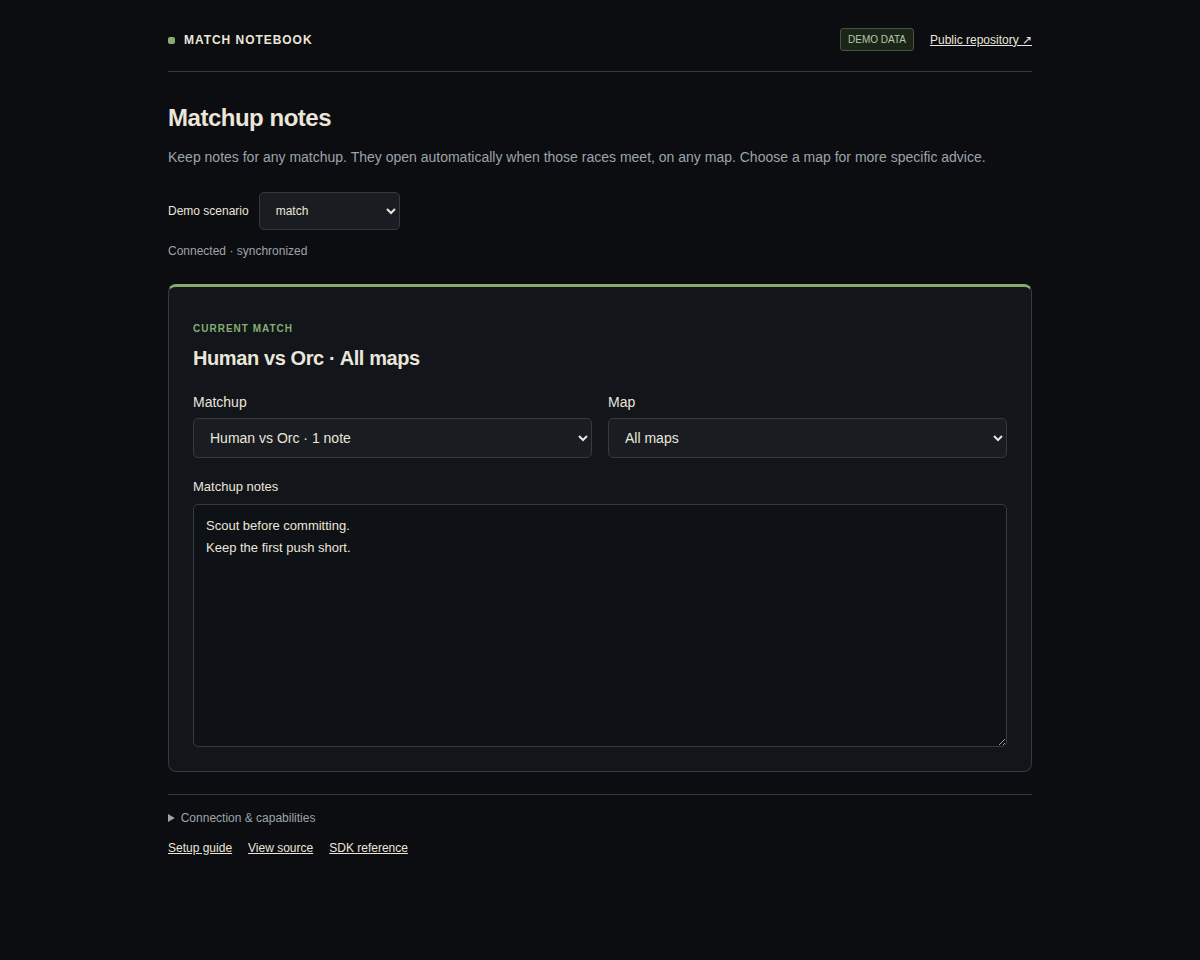
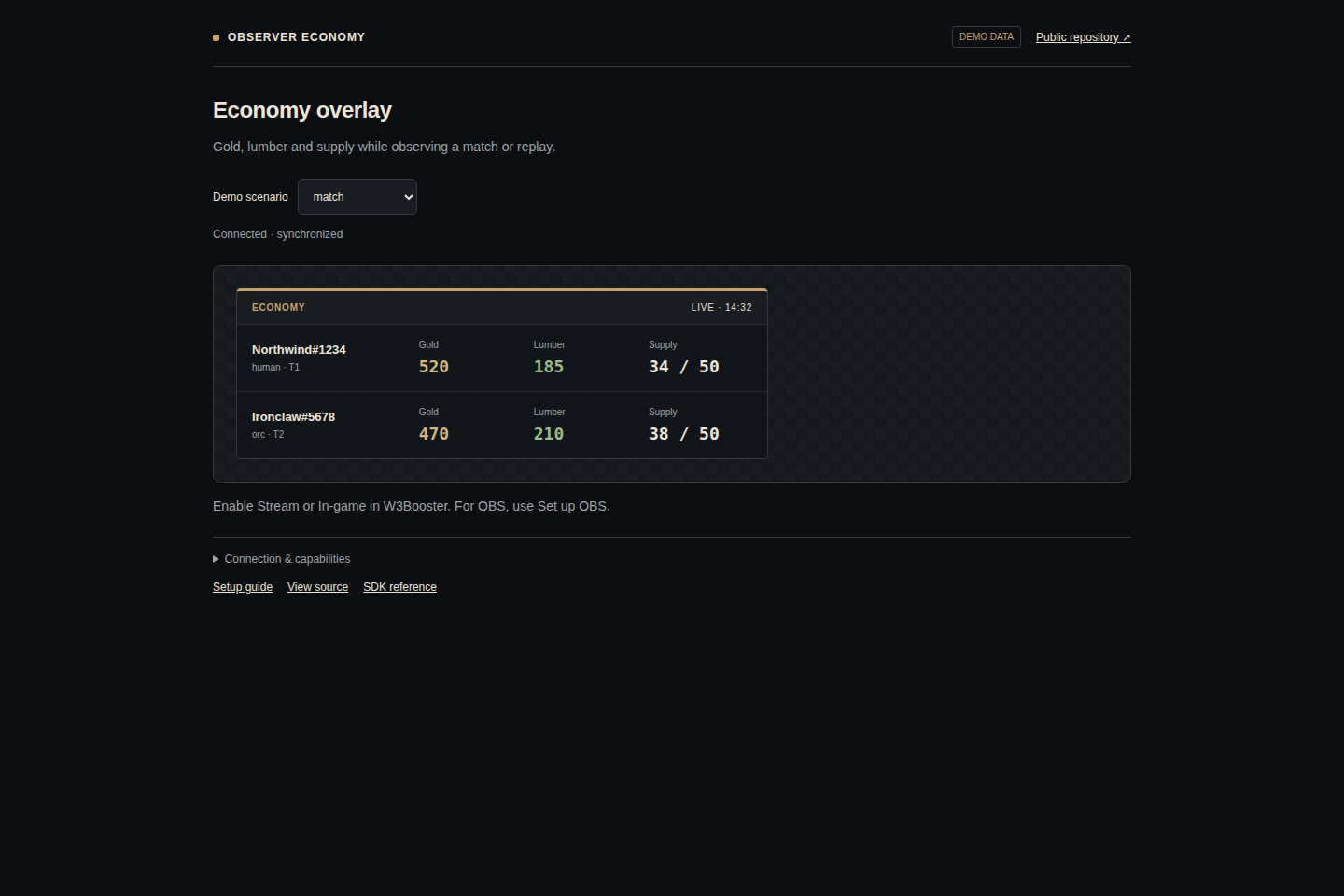
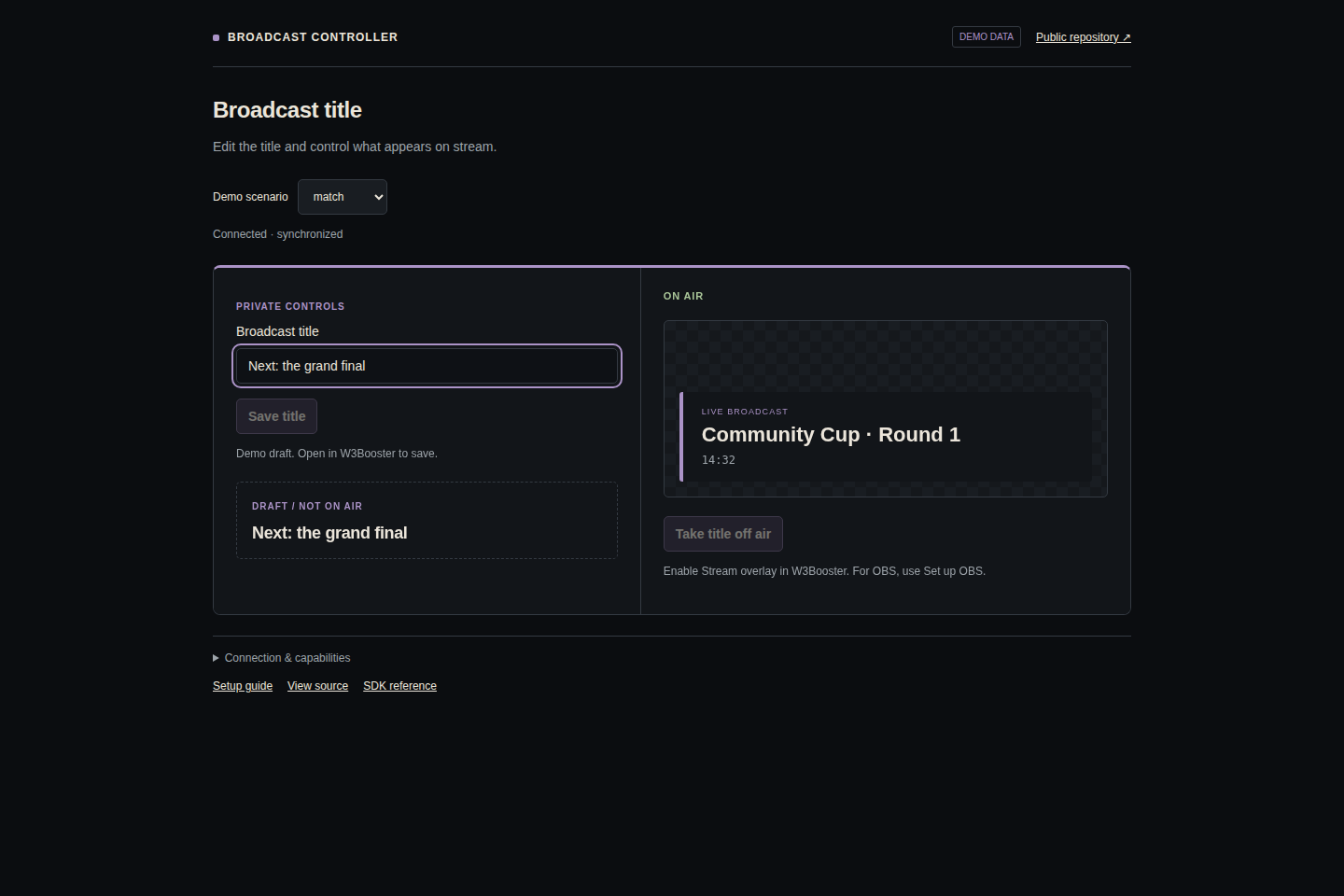
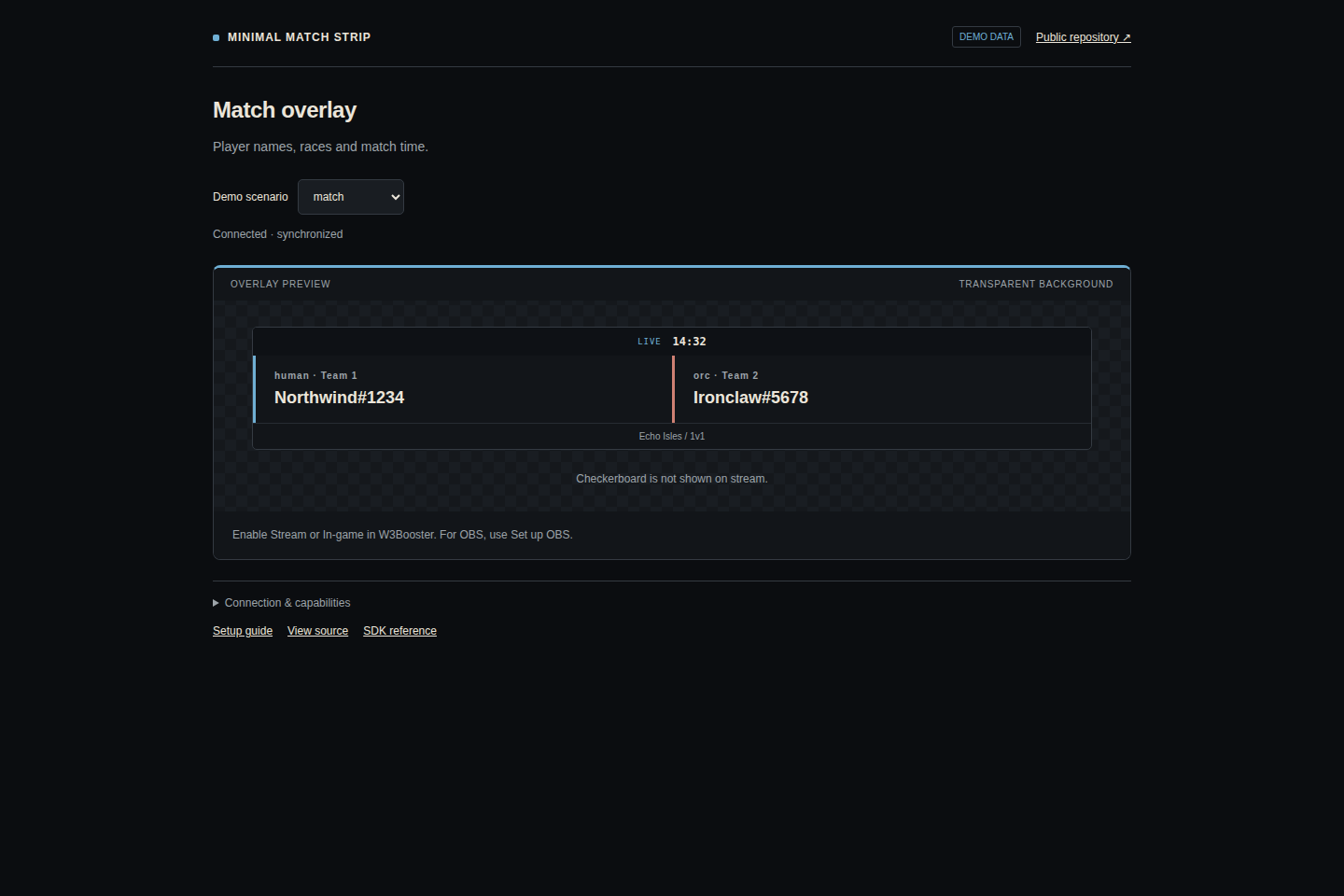
These are captures of the real interfaces, not mockups. Run npm run screenshots in an example repository to regenerate its image with deterministic demo data.
Contribute
Keep each example focused on its workflow. Include loading, missing-data, error, demo, and cleanup behavior. Request only the data it actually consumes. Test with the published SDK in a real browser. Keep user credentials and private captures out of source and screenshots. Retain the MIT notice when reusing source.
This page is the active example directory. The former combined repository is retained only as a read-only archive for old links.