W3Booster connects Warcraft III to the tools around it. Install match apps, power overlays, follow live game data, and manage your broadcast from one desktop workspace.
Observer modeMatch Vision · Both sides of the match
01Desktop workspace02Installable apps03OBS + in-game overlays04Live match data
One place for every tool
Build the Warcraft III setup that fits you.
W3Booster is an app workspace, not one fixed overlay. Choose what you use, keep each app’s settings together, and open the right surface for play, observation, or broadcast.
01 / APP LIBRARY
Install the experience you want.
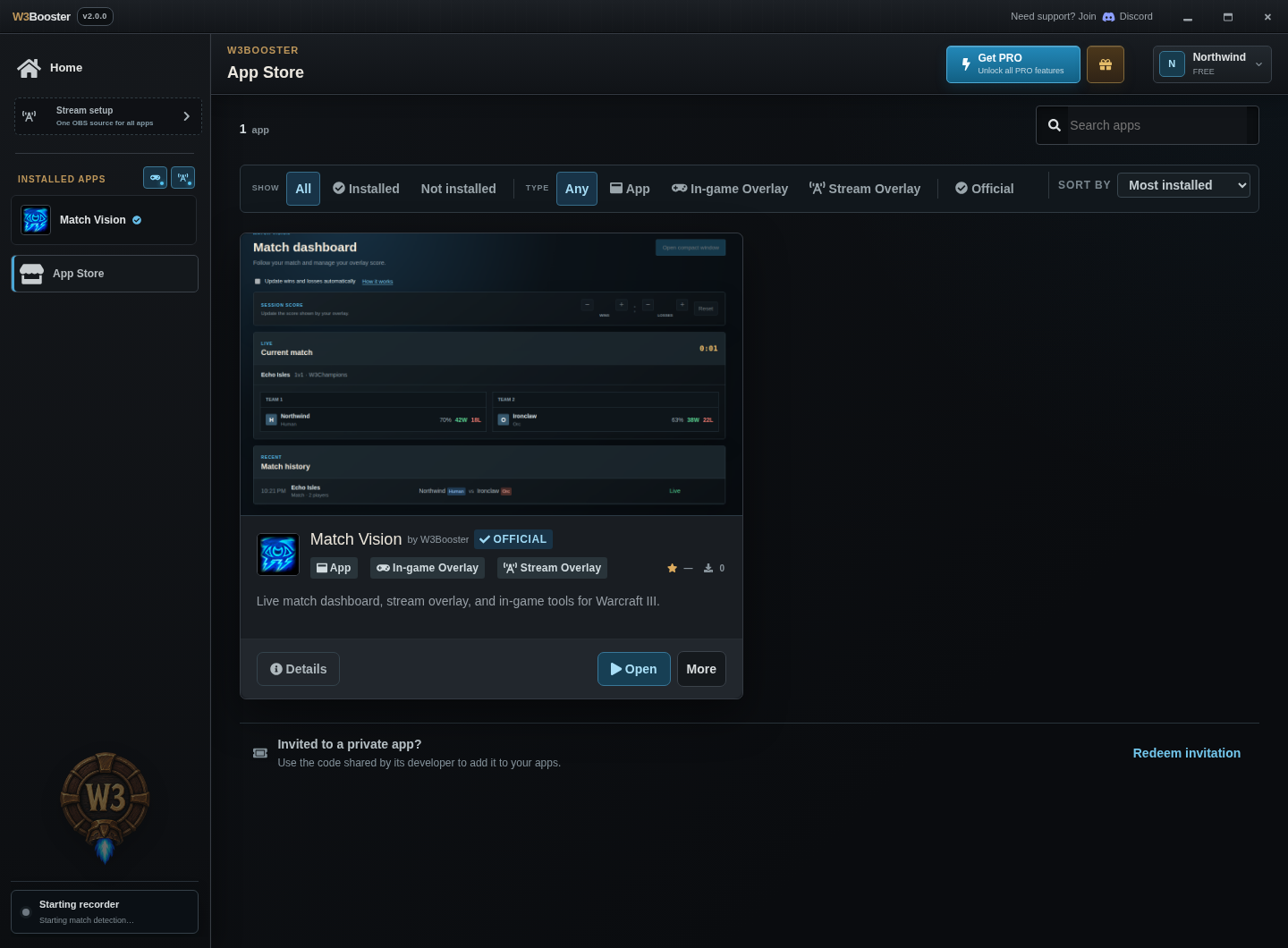
Discover official and community apps, see what each one adds, then install, enable, or pause it without rebuilding your streaming setup.
Every app has its own settings and surfaces. Disable an app without uninstalling it, or pause stream and in-game integrations globally.
Stream overlaysIn-game overlaysReplay Tools
03 / LIVE CONNECTION⌁
Ready when Warcraft III is.
The desktop recorder follows match state, while apps receive normalized data for players, resources, heroes, upgrades, statistics, and more.
Recorder readyWarcraft III connectedLIVE
04 / OFFICIAL APP
MV Match Vision
See the match, not just the fight.
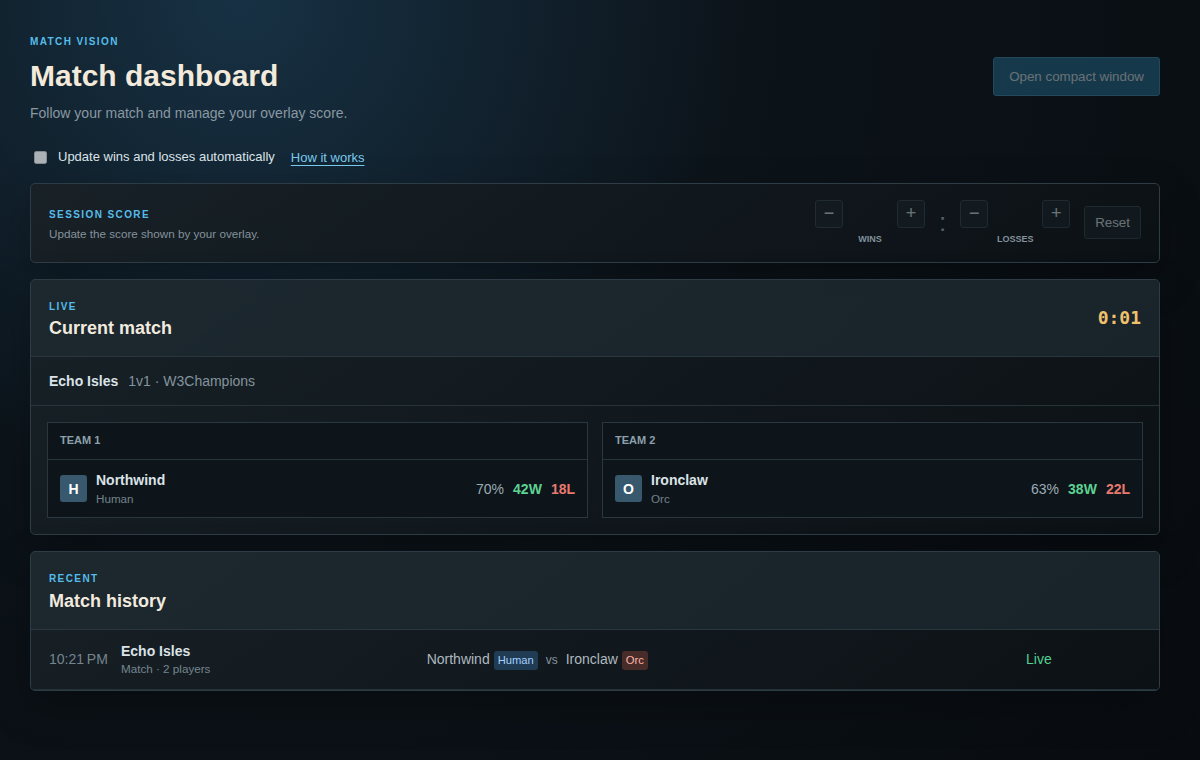
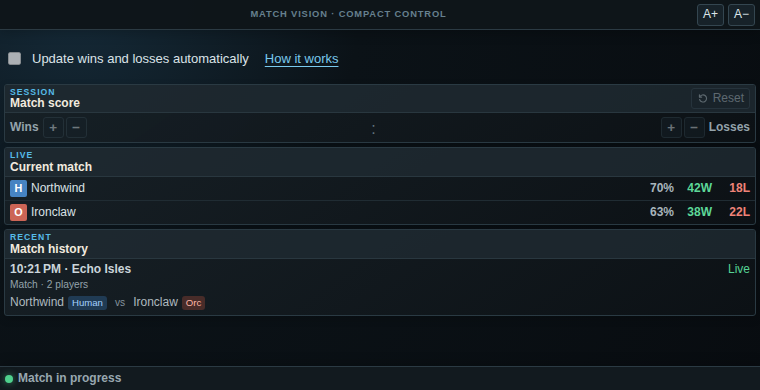
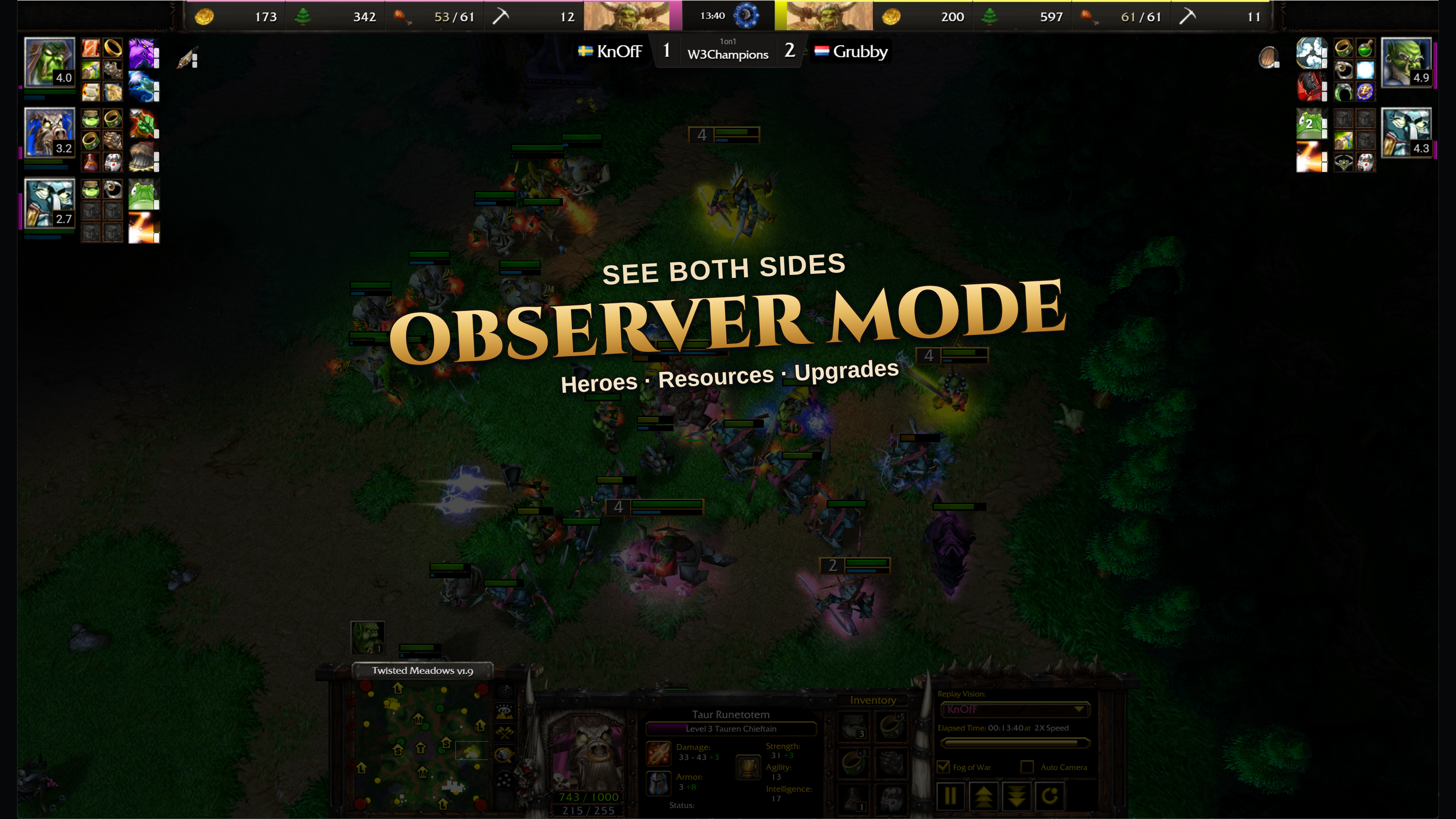
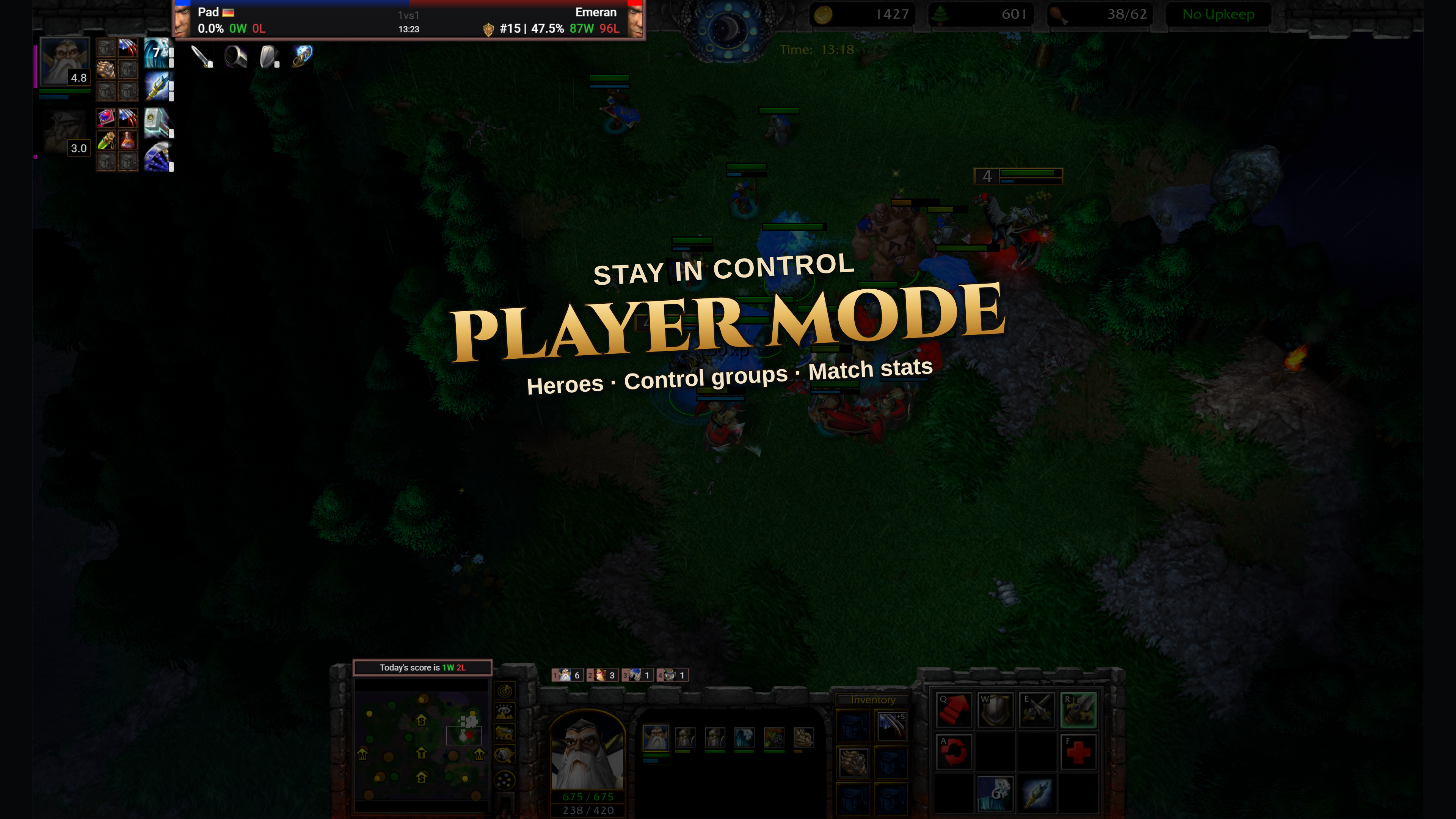
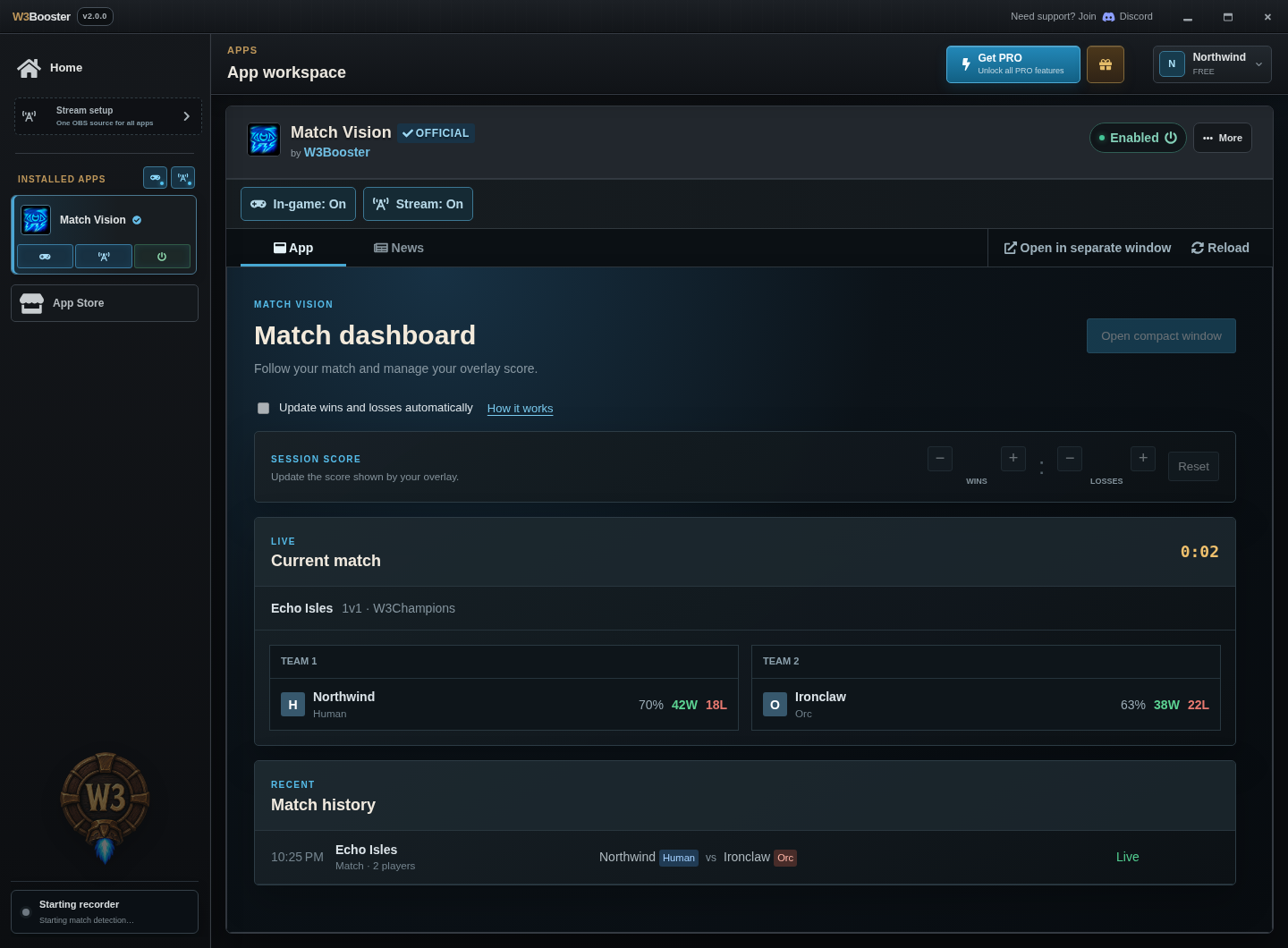
Match Vision turns live data into context for players and viewers: identities, rankings, resources, heroes, abilities, inventory, research, match score, and game time.
DashboardStream overlayIn-game overlay
View full size ↗Observer modeFollow both sides with resources, hero details, and the match score.View full size ↗Player modeKeep your heroes, control groups, and session score in view while you play.View full size ↗Follow the matchPlayers, win rates, and match history in one dashboard.View full size ↗Keep a compact view nearbyMatch information in a smaller, separate window.
Observer and player modes captured in Warcraft III. Dashboard and compact view shown with demo match data.
Made for broadcast
One browser source. Every enabled overlay.
Add W3Booster to OBS once. The platform loads the overlay apps you enable, keeps credentials out of those apps, and gives each app only the match data it needs.

 Explore the App Store ↗